 English
 Chinese (Simplified)
 French
 German
 Italian
 Japanese
 Spanish

 Portable Beacon
 Asset tracking beacon
 Long Range Beacon
 Wearable Beacon
 Tamperproof Bracelet
 SOS Button
 AoA Beacon
 Bluetooth Repeater
 Temperature Sensor
 Light Sensor
 PIR Sensor
 Sensor Solutions
 Asset Tracking
 Personal Tracking
 iTrackEasy Series
 TrackFast Series

Use KKM Beacons for Your Personnel Tracking Solutions
Track people the way you already track assets — with a badge or keychain beacon that broadcasts over Bluetooth LE, gateways that listen and forward the data, and a platform you already own. KKM builds the hardware; the map, the rules and the alerts stay in your software.
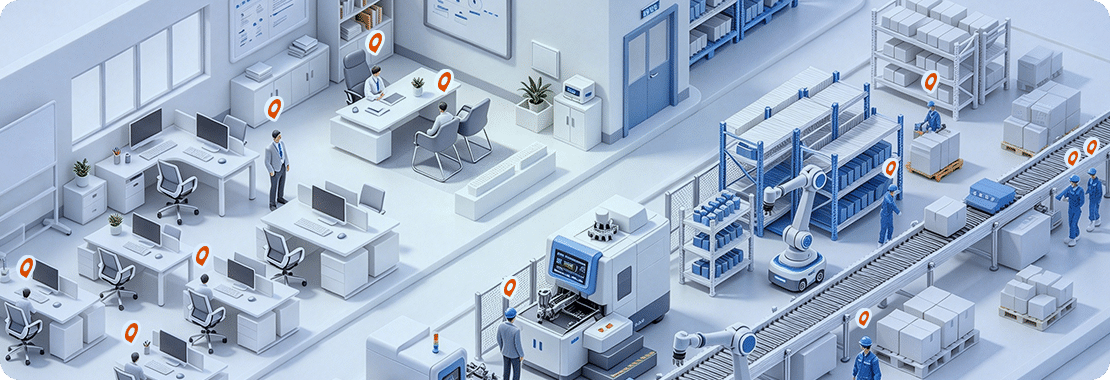
Mid-shift on a packing floor. Zone-level tracking starts with a floor plan, not a purchase order.
How Bluetooth personnel tracking works
A badge or keychain beacon broadcasts an identifier every second — iBeacon, Eddystone or KKM’s own KSensor frame, configurable from 100 ms to 40 s. Fixed Bluetooth gateways scan those advertisements, timestamp them, and push the result to your server over MQTT or HTTPS with TLS. Nothing on the person’s device needs to connect or pair, which is why a badge can run for months or years on one battery.
Badge / keychain
iBeacon, Eddystone, KSensor
every 1s, no pairing

KG02 / KG01 gateway
scans, timestamps, filters
PoE, buffer, OTA
Your server
MQTT / HTTPS
TLS 1.2
Your platform
zones, rules,
alerts, audit trail
KKM supplies the two boxes on the left. Everything from the arrow onwards is your software.
Your software decides what the signal means. One gateway hearing a badge puts that person in a zone. Two or three gateways hearing it lets you compare signal strength and work out which side of a wall they are on. RSSI is not centimetre accuracy — it is zone accuracy, and for most workforce use cases that is exactly the level of detail that gets used.
KKM ships the tag, the firmware and the gateway, plus the SDK and API documentation your developers need to read the data. There is no KKM cloud in the middle unless you want one.
Badge or keychain? Pick by how people actually work
This is the decision that decides whether your deployment survives year two. A badge on a lanyard gets left in a locker. A keychain clipped to a belt gets left on a kitchen table. Neither is a radio problem, and both are avoidable by matching the format to the job.
The ID badge wins wherever people already wear a card: factories, hospitals, labs, offices, visitor reception. It is the format people are least likely to forget, and it puts the button within reach. The K7 runs 42 months on a non-replaceable cell and is IP67; the C3 is rechargeable, which suits shift rotations and sites that would rather charge a fleet than replace cells.
The keychain wins for contractors, technicians, drivers, cleaners and anyone who moves between sites. It is smaller, cheaper per unit, and easy to hand out at a gate. The F1 is IP67 with a buzzer and a button, so it survives weather and can be found by sound; the K11 is the low-cost CR2032 option for high-churn populations where replacing the whole tag is cheaper than tracking it.
Recommended hardware

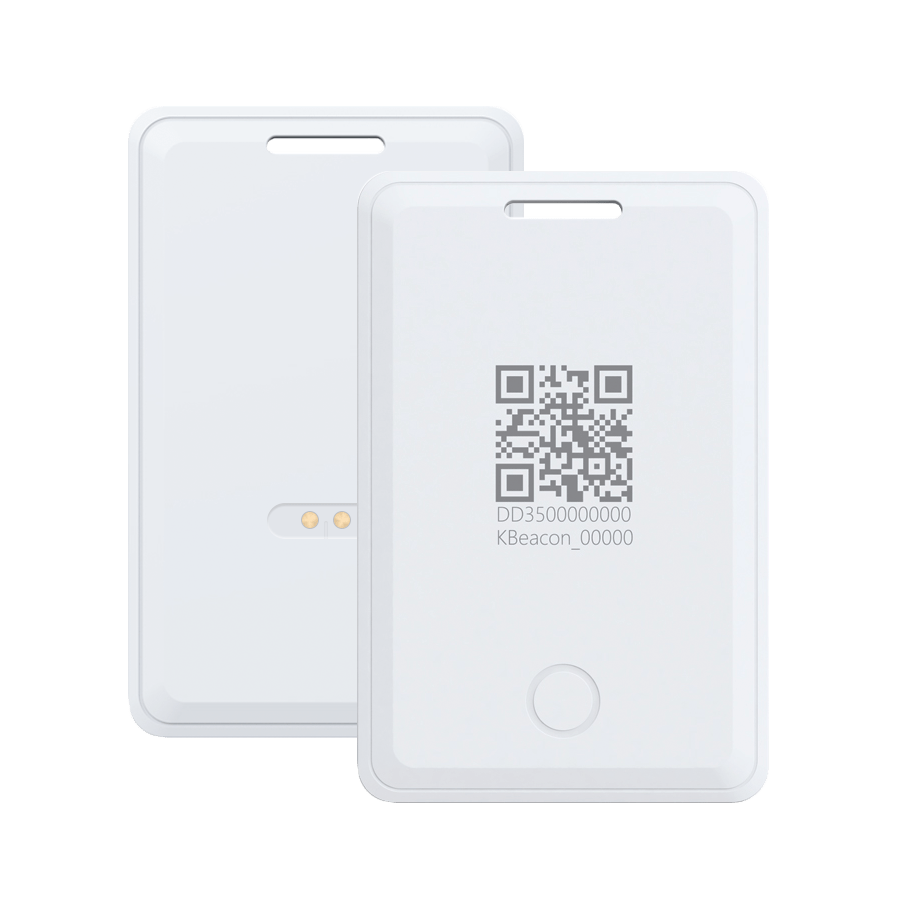
C3 Rechargeable Badge
86 × 56 × 5.4 mm, 24 g. 400 mAh rechargeable, 16 months per charge, full charge in 2 hours. IP67, external button, optional accelerometer. C3P reaches 300 m on Coded PHY.

F1 Waterproof Keychain
38 × 38 × 5.5 mm, 10 g. IP67, magnetic charging, 4–6 months per charge. Button, buzzer, accelerometer and NFC — the one you can ring when it goes missing.
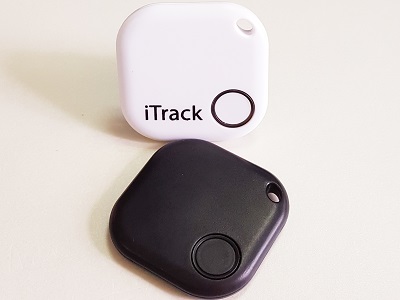
K11 Keychain Beacon
36 × 36 × 5.6 mm, 10 g. CR2032, 14 months, IP44, 100 m open space. The cheapest way to tag a large, temporary or high-turnover population.
What a reading actually tells you
Every vendor in this space quotes an accuracy number, and most of them quote the best one. In practice you get three different kinds of answer from the same hardware, depending on how you mount the gateways and how your software treats the data. Decide which one your use case needs before you buy anything.
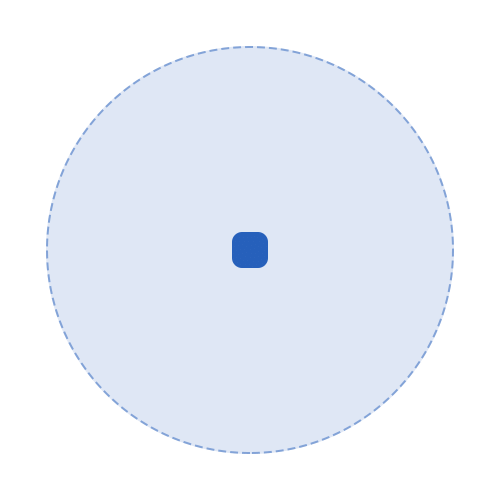
Zone
one gateway, 40–80m radius
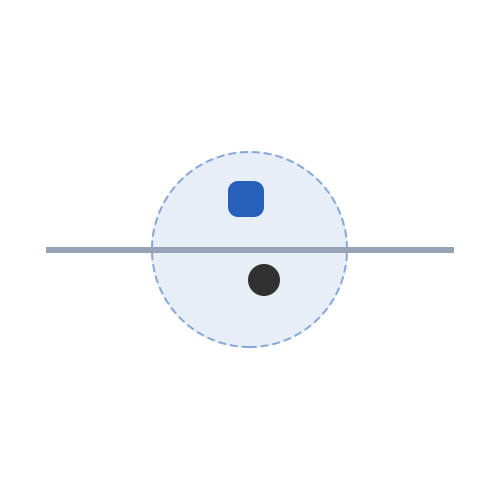
Doorway
a read point, 2–5m
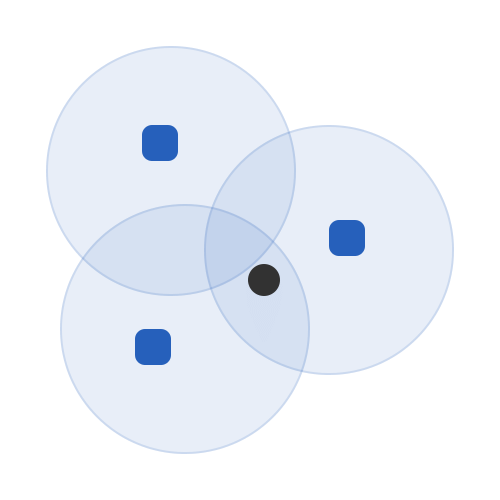
Precision
three gateways, 1–3m
Zone is one gateway covering a room, a bay or a floor plate. You learn that a person is inside that area, not where inside it. This is what most factories, warehouses and offices actually run, because the useful question is “is anyone still in the paint booth” rather than “which square metre”.
Doorway is a deliberate read point: a gateway placed so its usable range is a few metres, sitting over a specific entrance, workstation or bedside. Every pass is a countable event, which is what access control, attendance and time-at-station reporting are built on.
Precision is three or more gateways with overlapping coverage, and your server doing the maths. You get one to three metres, which is enough to follow movement through an open floor but still not enough to tell you which side of a rack a person is standing on. If you need that, the conversation is about AoA or UWB, and about a different budget.
Gateways: how many, and where
The tags are the cheap part. Coverage is where the budget lives, and it is decided by your floor plan rather than by the datasheet.
The KG02 is the ceiling unit: more than 200 beacons per second, up to 300 m with its amplifier in open space, PoE or 5 V DC, MQTT or HTTPS out. In open-plan production or office space, a gateway every 15–25 m of ceiling is a normal starting point. In a racked warehouse, plan by aisle and by rack height, because steel is a far better shield than concrete.
The KG01 is the outdoor and yard box: IP54, PoE 802.3af or 5 V, more than 300 beacons per second, Bluetooth 5.0 Coded PHY rated to 900 m in open space and realistically 100–700 m on a real site. Optional 4G and GPS mean it can sit on a light pole with no network drop at all, and its local buffer backfills after an outage instead of losing the day’s data.
If your floor plan is already drawn, send it over. Working out gateway count from a plan takes a short call; discovering it after the quote is what makes projects late.
What the badge gives you

100–600 m
standard or Coded PHY long range

Worn, not carried
ID card, keychain, wristband formats
One button
SOS or check-in, mapped in your software

10–24g
IP67 on badge and F1 models

Open protocol
iBeacon, Eddystone, KSensor, OTA
What you get out of it
- Mustering in minutes, not radio calls. Ask the system who is in the building, not who thinks they are.
- Zone rules that actually enforce something. Who may enter the chemical store, the blast zone, the cleanroom, the cash office.
- Dwell time and lone-worker check-ins. A badge that stops moving in a plant room for eight minutes is a signal worth acting on.
- Headcount by area. Shift start, evacuation, contractor ratios on a live site.
- An evidence trail. Time-stamped zone history for incident review, without anyone writing it up from memory.
Where it is used

Manufacturing. Who is on the line, who is in the tool crib, who has been in the paint booth longer than the permit allows.

Healthcare. Ward-level staff location and equipment in the same zone model, so a nurse call and a pump search stop being two separate problems.

Retail and venues. Visitor headcount by zone, dwell time per department, and an honest occupancy number at the door.
Every vendor in this space quotes an accuracy number, and most of them quote the best one. In practice you get three different kinds of answer from the same hardware, depending on how you mount the gateways and how your software treats the data. Decide which one your use case needs before you buy anything.
Five steps from floor plan to live system
- Measure the site. Floor plan, ceiling height, wall material, where steel lives. This decides gateway count more than anything else.
- Choose the format per job function. Badges for people who already wear a card, keychains for contractors and visitors, wristbands where a lanyard is a safety hazard.
- Mount and cable the gateways. PoE wherever a drop exists, 4G where it does not. Commission in batches and check each one reports before moving on.
- Tag and register. Write the identifier into your system at hand-out, not later from a spreadsheet. The tag-to-person link is the part auditors ask about.
- Integrate once. Point the gateway at your broker, decode the payload, and build zones in your platform. Then leave it alone — the hardware should not need attention for the rest of the year.
Where our job stops
KKM does not sell a tracking platform, and we are not going to pretend otherwise. We build the badge, the keychain, the gateway and the firmware, and we publish the API and SDK your developers integrate against. The zone map, the escalation policy, the retention rules and the dashboard are yours — in your cloud, your server room or your existing RTLS platform.
That boundary matters more for people tracking than for asset tracking, because location data about employees is personal data. Who can query it, how long it is kept, and what the works council was told are decisions a hardware vendor should not be making on your behalf. Keep them where they belong.
Talk to us about your site
Tell us the headcount, the floor plan and whether people are badged, badgeless or contractors. We will tell you which format fits, roughly how many gateways it takes, and what the tags will do in month eighteen. If a different radio — UWB or LoRaWAN — is the better answer for part of your site, we will say that too.